- Softonic Rating:
- Excellent:9/10
- License:
- Free
- Added:
- January 11, 2008
- Publisher:
- Wegame
- File size:
- 8.5 MB
- Downloads:
- 2,897
- DownloadFree
“Record gaming videos and share them online”
by Elena Santos
Gaming is not only about having fun while playing: it's also about showing off your victory over the final stage boss or your first place in the hardest race.
This is precisely what you can do with WeGame. This application is actually the official software client for the WeGame site, a Youtube-like website where players from all over the world share their most valuable gaming deeds on the Internet. The client only supports a closed list of games, but many of them are real hits such as Call of Duty 4, Hellgate London, Half-Life 2 or World of Warcraft.
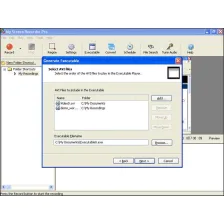
WeGame works in a very simple way: set the hotkey to start and stop recording and let it running in the background while playing your favorite game. When the glorious moment arrives, hit your hotkey and WeGame will start recording everything. The program can only record videos in AVI format, but at least you can edit them later on with your favorite video editor.
Once you've finished working on the video, use WeGame to upload it to the Web. You'll need to create a user account in the WeGame website but it only takes a couple of minutes and it's totally free.
Though limited to a short list of games, WeGame is a great tool to record your greatest victories in your favorite videogame and share them online.
Languages:
English
Notes:
WeGame currently supports the following games:
- Battlefield 2
- Battlefield 2142
- Command & Conquer 3
- Call of Duty 2
- Call of Duty 4
- Crysis
- CS 1.6
- CS: Source
- DoD: Source
- Garry's Mod
- Guild Wars
- Half-Life 2
- Hellgate London
- Portal
- Quake Series
- Second Life
- Silkroad Online
- Team Fortress 2
- Warcraft 3
- World of Warcraft
- Wolfenstein: ET
OS requirements for WeGame:
- OS: WinXP/Vista
Minimum requirements:
- Memory: 1,0 GB
- Free space: 15 MB
- 2 GB free space for recorded videos
- Free registration: Publisher's website
Recommended requirements:
- Memory: 2,0 GB
- Free space: 15 MB
- 5 GB free space for recorded videos
- Easy to use
- You can edit the video with third-party apps
- Only records in AVI
- Works only with certain games
Featured program
Softonic gives special recognition to software of exceptionally high quality. More information
From the publisher of WeGame
The WeGame client lets you record your own gaming videos from your favorite games and share them with your friends for free!
Record Your Favorite Games
WeGame can record your gameplay from some of your favorite games. Just start up the client, launch your game, and hit record!
Instantly Have Your Video Online
Once you're done recording, you can instantly publish your video to WeGame.com and have it seen by gamers around the world.
Performance As Fast as a Zergling Rush
Record your epic 40-man raids or awesome killing sprees!
Posts about WeGame in our blog
- Record in-game videos and share them online by Elena Santos
Sponsored Links
Programs similar to WeGame
WeGame options
Reviews for WeGame in other languages
- WeGame (Análisis en español)
User Rating
3 ratings- Usability
-
- Currently 7/10.
- Stability
-
- Currently 6/10.
- Installation
-
- Currently 7/10.
- Functionality
-
- Currently 7/10.
- Appearance
-
- Currently 3/10.